
 Image 1 of 5
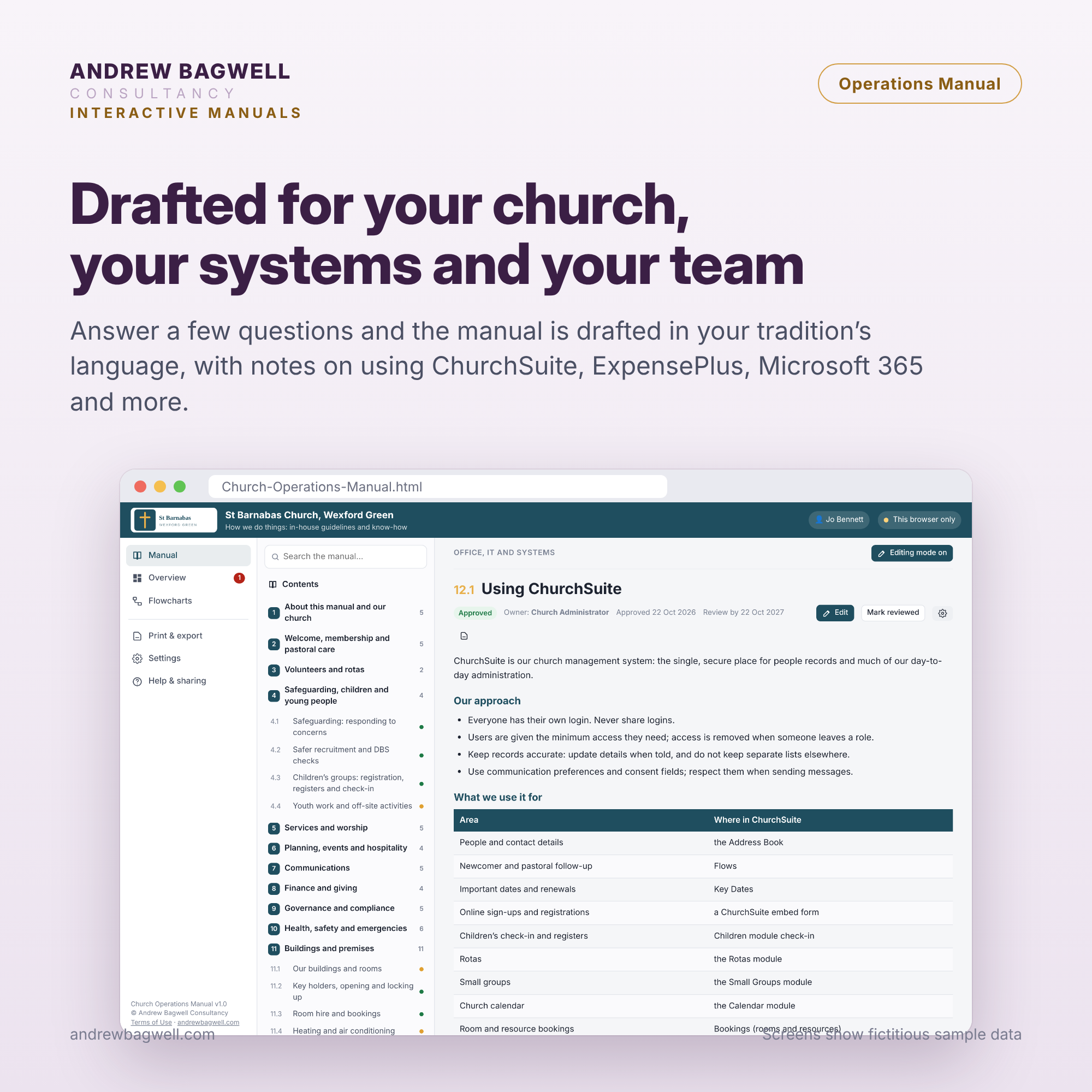 Image 2 of 5
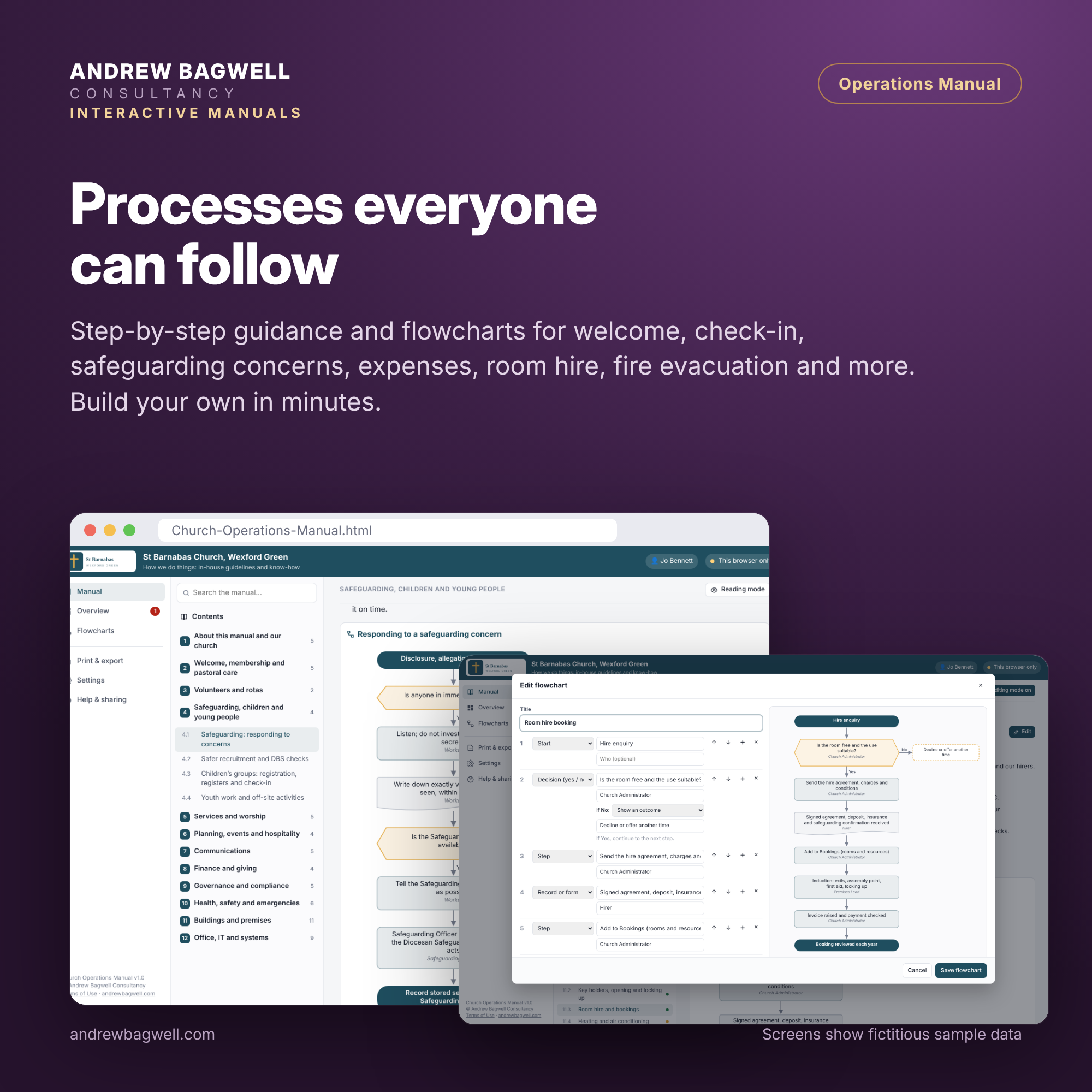 Image 3 of 5
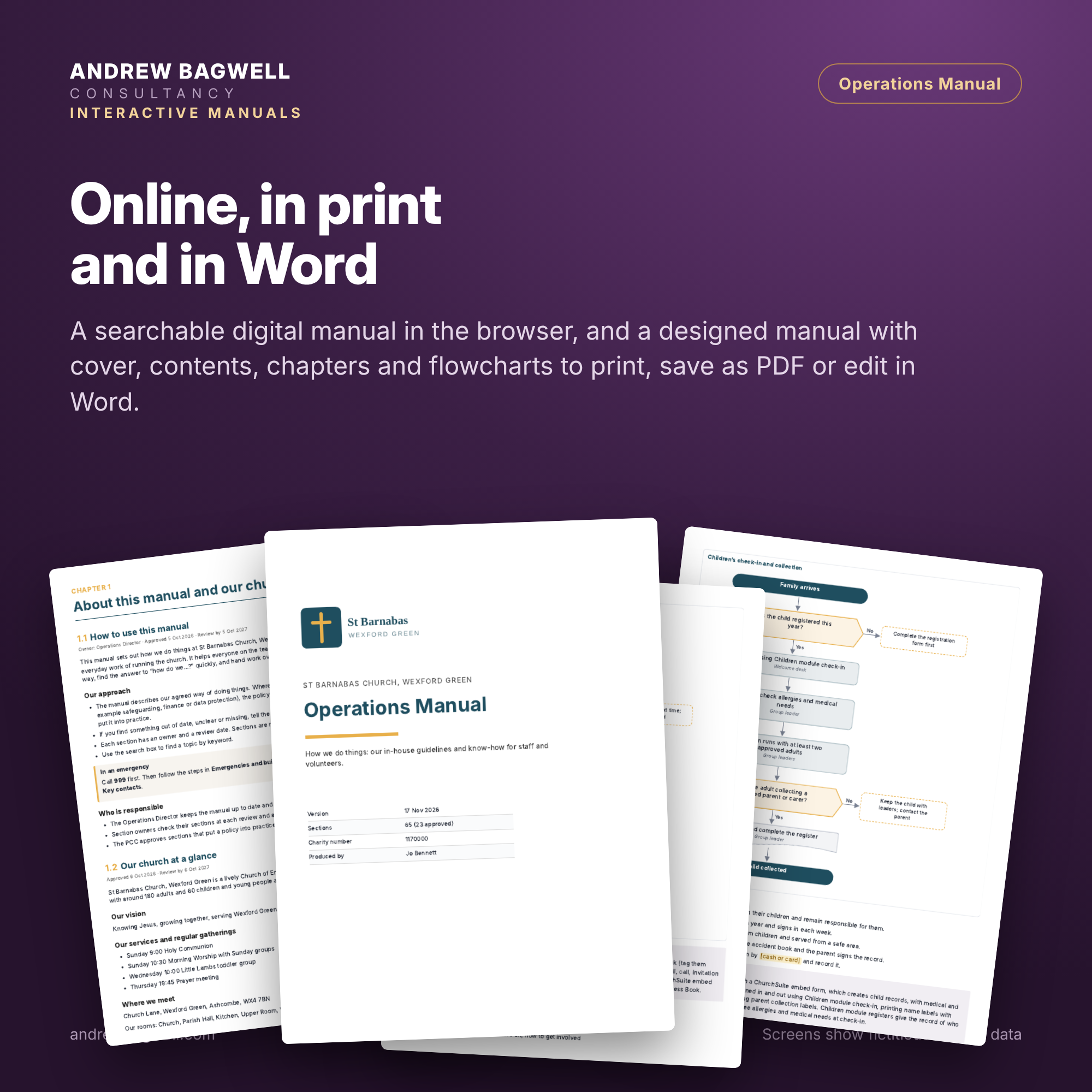 Image 4 of 5
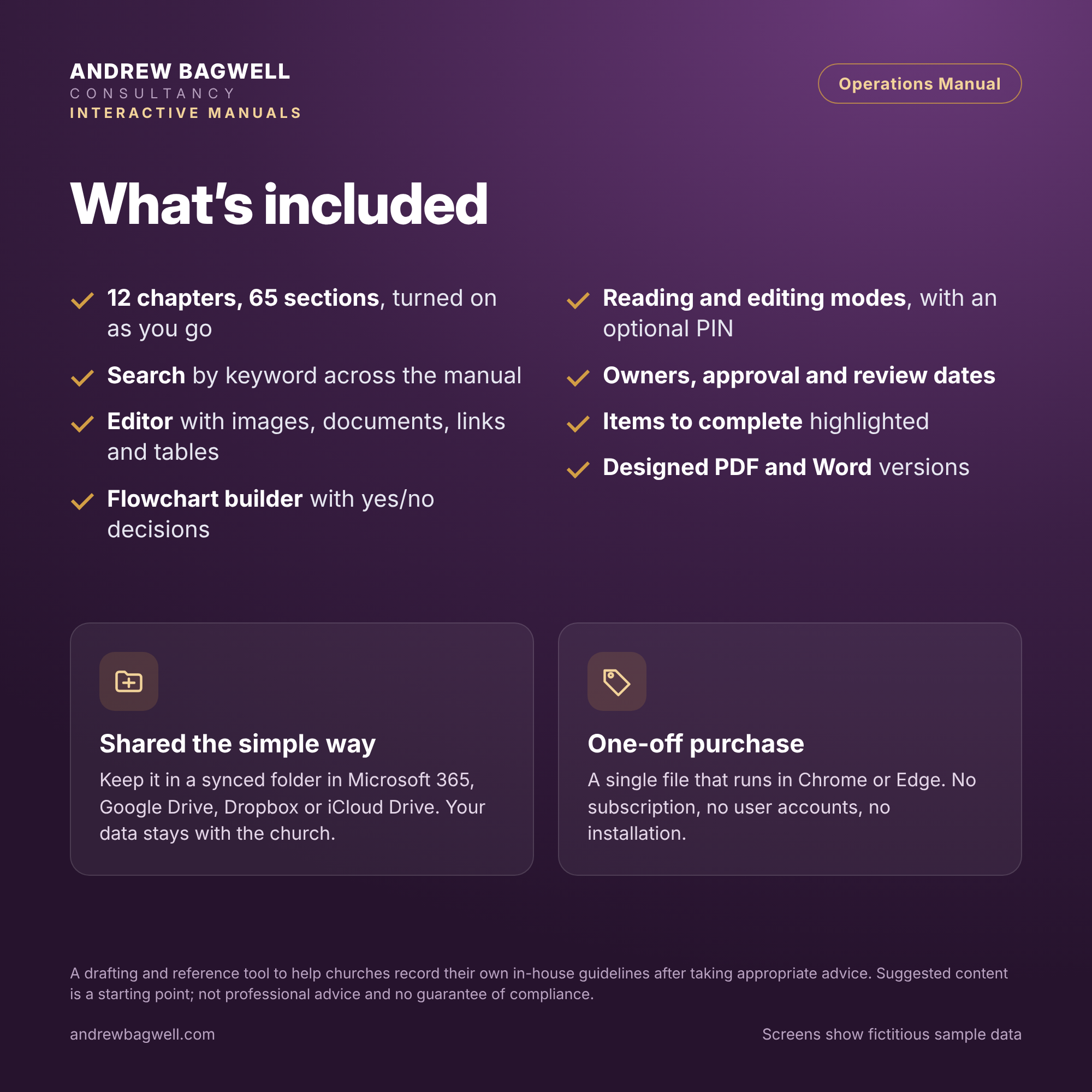 Image 5 of 5
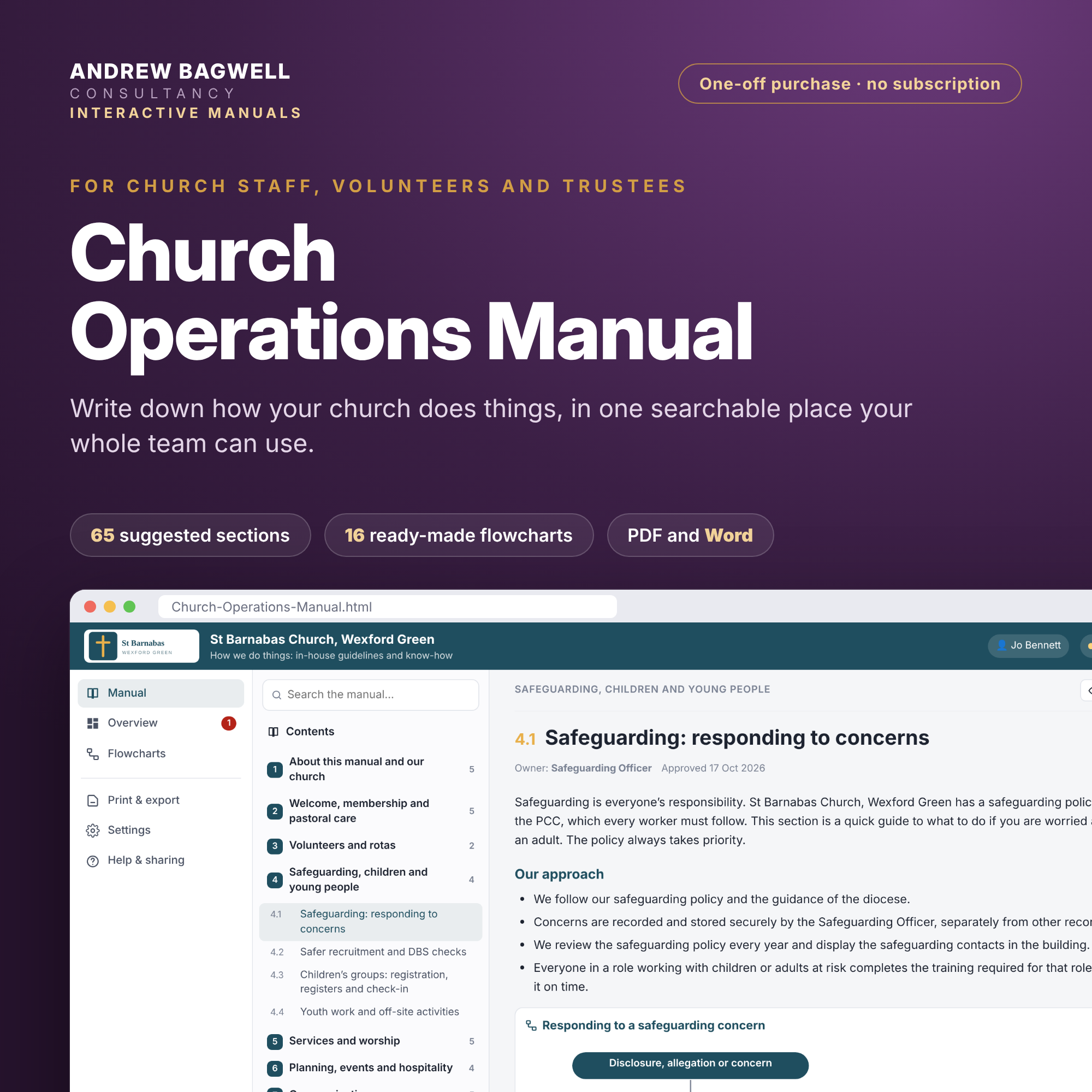
The Church Operations Manual is a single interactive manual for how your church runs day to day. It records your agreed way of doing things in one place, for staff, volunteers and trustees, and it is easy to keep up to date.
Click here to view the product sheet
A short setup wizard asks about your church and the systems you use. It then writes a draft manual in plain English, tailored to your church, which you can review, edit and approve section by section.
Tailored to the way you work
Your systems. The draft reflects the church management system you use (ChurchSuite, Planning Center, Elvanto, ChurchApp, another system or none). It does the same for your finance system (ExpensePlus, Xero, QuickBooks, Sage or spreadsheets) and for Microsoft 365 or Google Workspace.
ChurchSuite users get suggested key dates, forms and flows built into the relevant sections.
Your church’s details. Your roles, rooms, groups, services, giving methods and activities shape what is included and how it reads.
Your denomination. Wording adjusts to your denomination and governance structure.
What’s included
Content: 12 chapters and over 60 ready-to-edit sections. They cover welcome and pastoral care, volunteers and rotas, safeguarding and children’s work, services, events and hospitality, communications, finance and giving, governance, health and safety, basic building use, and office and IT.
Flowcharts: 16 ready-made flowcharts for common processes, plus a flowchart builder for your own.
Your own content: add your own chapters and sections, and turn off any that don’t apply.
Documents and images:
add images and tables;
link to policies and forms on your website or shared drive, or attach PDFs.
Search: keyword search across the whole manual.
Review dates: set a review date for each section, and use the overview page to see what still needs completing or reviewing.
Easy to share
Read in the browser: staff and volunteers use the chapter menu to find what they need.
Edit mode: turn editing on and off freely, or protect it with a PIN. A recovery code is provided in case the PIN is forgotten.
Print and export: produce the whole manual, or individual sections, as a print-ready PDF or a Word document.
Simple and private
A single HTML file: it runs in your web browser, with no account, subscription or installation.
Data stays on your device: your manual is stored in your browser. You can save and restore it with a data file for backup or to move it to another computer.
Works with the other church tools: it can copy your organisation details from them.
What you receive
A download containing:
the Church Operations Manual (HTML file);
a Quick Start guide (PDF);
a full Help Guide (PDF).
Updates
At our discretion, we may make iterative updates available free of charge to customers for 12 months from the date of purchase. Iterative updates fix errors and improve the reliability, performance, wording, layout or compatibility of existing features. They do not introduce new functionality.
Substantive updates, which introduce new functionality, are not included in the purchase price. At our discretion, we may offer them to existing customers at a discount.
Updates are announced at andrewbagwell.com. The version number is in the file name. To update, save the new file in the same folder and remove the old one. Your manual’s content stays in your browser when you switch versions, but please save a backup data file first.
Please note
The suggested content is a starting point, written to reflect common good practice. It is not legal, safeguarding, financial or other professional advice, and using the tool does not guarantee compliance with any legislation or regulation. The Church Operations Manual is purely a tool to help trustees and church team members manage these responsibilities after seeking appropriate advice and exercising their own judgement. Formal policies, such as your safeguarding policy, remain the authoritative documents, and the manual should link to them.
Use of this product is subject to the Terms of Use.
The Church Operations Manual is a single interactive manual for how your church runs day to day. It records your agreed way of doing things in one place, for staff, volunteers and trustees, and it is easy to keep up to date.
Click here to view the product sheet
A short setup wizard asks about your church and the systems you use. It then writes a draft manual in plain English, tailored to your church, which you can review, edit and approve section by section.
Tailored to the way you work
Your systems. The draft reflects the church management system you use (ChurchSuite, Planning Center, Elvanto, ChurchApp, another system or none). It does the same for your finance system (ExpensePlus, Xero, QuickBooks, Sage or spreadsheets) and for Microsoft 365 or Google Workspace.
ChurchSuite users get suggested key dates, forms and flows built into the relevant sections.
Your church’s details. Your roles, rooms, groups, services, giving methods and activities shape what is included and how it reads.
Your denomination. Wording adjusts to your denomination and governance structure.
What’s included
Content: 12 chapters and over 60 ready-to-edit sections. They cover welcome and pastoral care, volunteers and rotas, safeguarding and children’s work, services, events and hospitality, communications, finance and giving, governance, health and safety, basic building use, and office and IT.
Flowcharts: 16 ready-made flowcharts for common processes, plus a flowchart builder for your own.
Your own content: add your own chapters and sections, and turn off any that don’t apply.
Documents and images:
add images and tables;
link to policies and forms on your website or shared drive, or attach PDFs.
Search: keyword search across the whole manual.
Review dates: set a review date for each section, and use the overview page to see what still needs completing or reviewing.
Easy to share
Read in the browser: staff and volunteers use the chapter menu to find what they need.
Edit mode: turn editing on and off freely, or protect it with a PIN. A recovery code is provided in case the PIN is forgotten.
Print and export: produce the whole manual, or individual sections, as a print-ready PDF or a Word document.
Simple and private
A single HTML file: it runs in your web browser, with no account, subscription or installation.
Data stays on your device: your manual is stored in your browser. You can save and restore it with a data file for backup or to move it to another computer.
Works with the other church tools: it can copy your organisation details from them.
What you receive
A download containing:
the Church Operations Manual (HTML file);
a Quick Start guide (PDF);
a full Help Guide (PDF).
Updates
At our discretion, we may make iterative updates available free of charge to customers for 12 months from the date of purchase. Iterative updates fix errors and improve the reliability, performance, wording, layout or compatibility of existing features. They do not introduce new functionality.
Substantive updates, which introduce new functionality, are not included in the purchase price. At our discretion, we may offer them to existing customers at a discount.
Updates are announced at andrewbagwell.com. The version number is in the file name. To update, save the new file in the same folder and remove the old one. Your manual’s content stays in your browser when you switch versions, but please save a backup data file first.
Please note
The suggested content is a starting point, written to reflect common good practice. It is not legal, safeguarding, financial or other professional advice, and using the tool does not guarantee compliance with any legislation or regulation. The Church Operations Manual is purely a tool to help trustees and church team members manage these responsibilities after seeking appropriate advice and exercising their own judgement. Formal policies, such as your safeguarding policy, remain the authoritative documents, and the manual should link to them.
Use of this product is subject to the Terms of Use.