
 Image 1 of 5
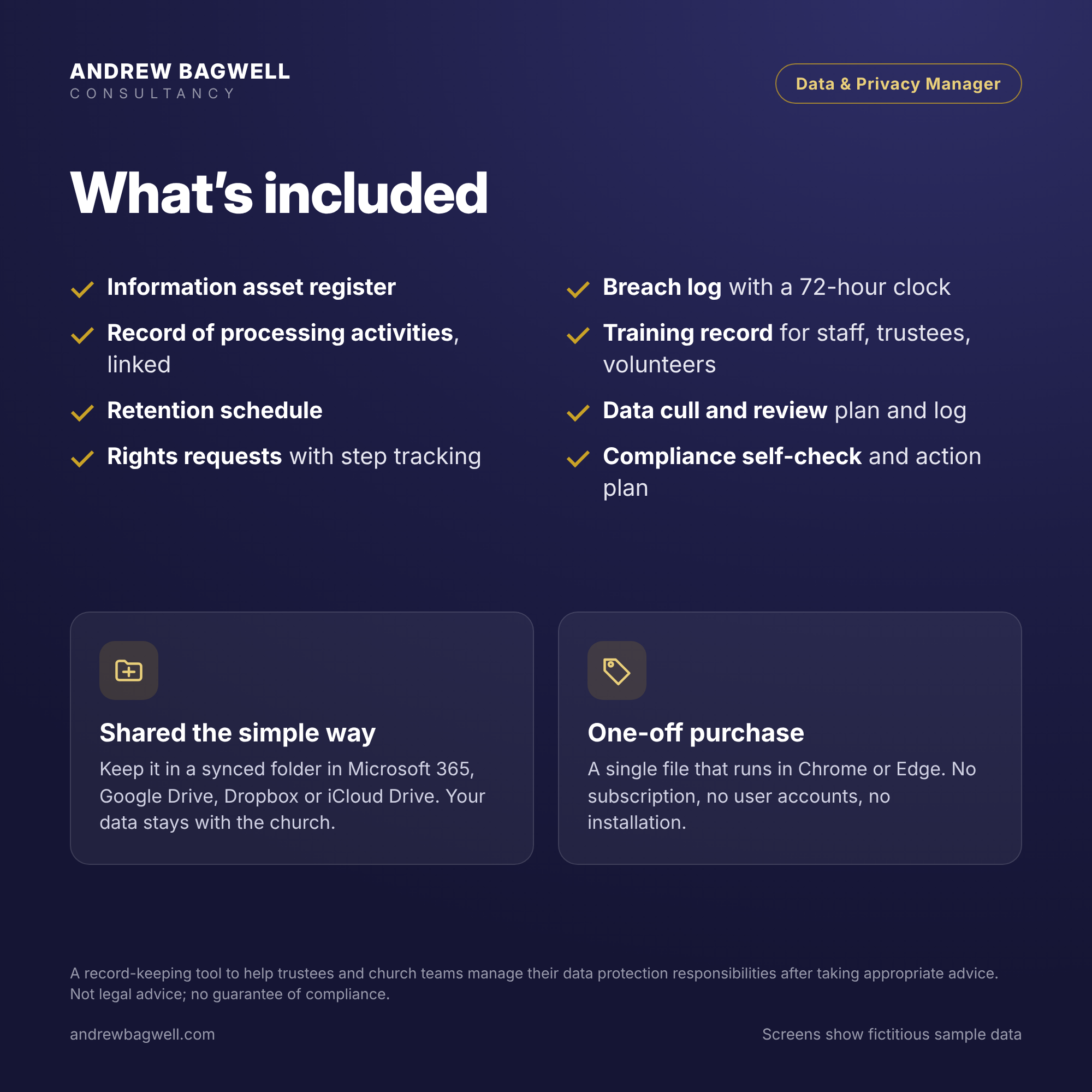 Image 2 of 5
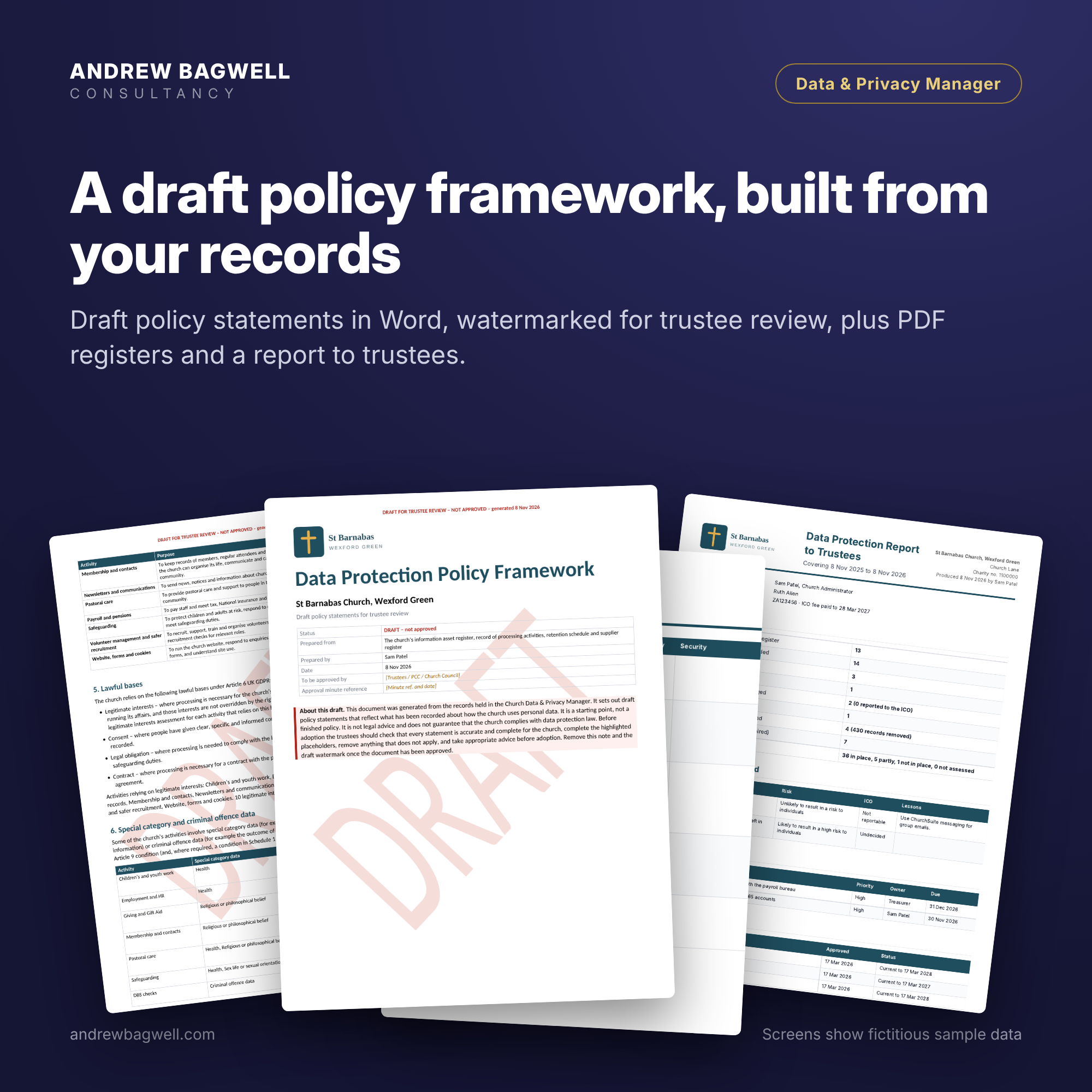 Image 3 of 5
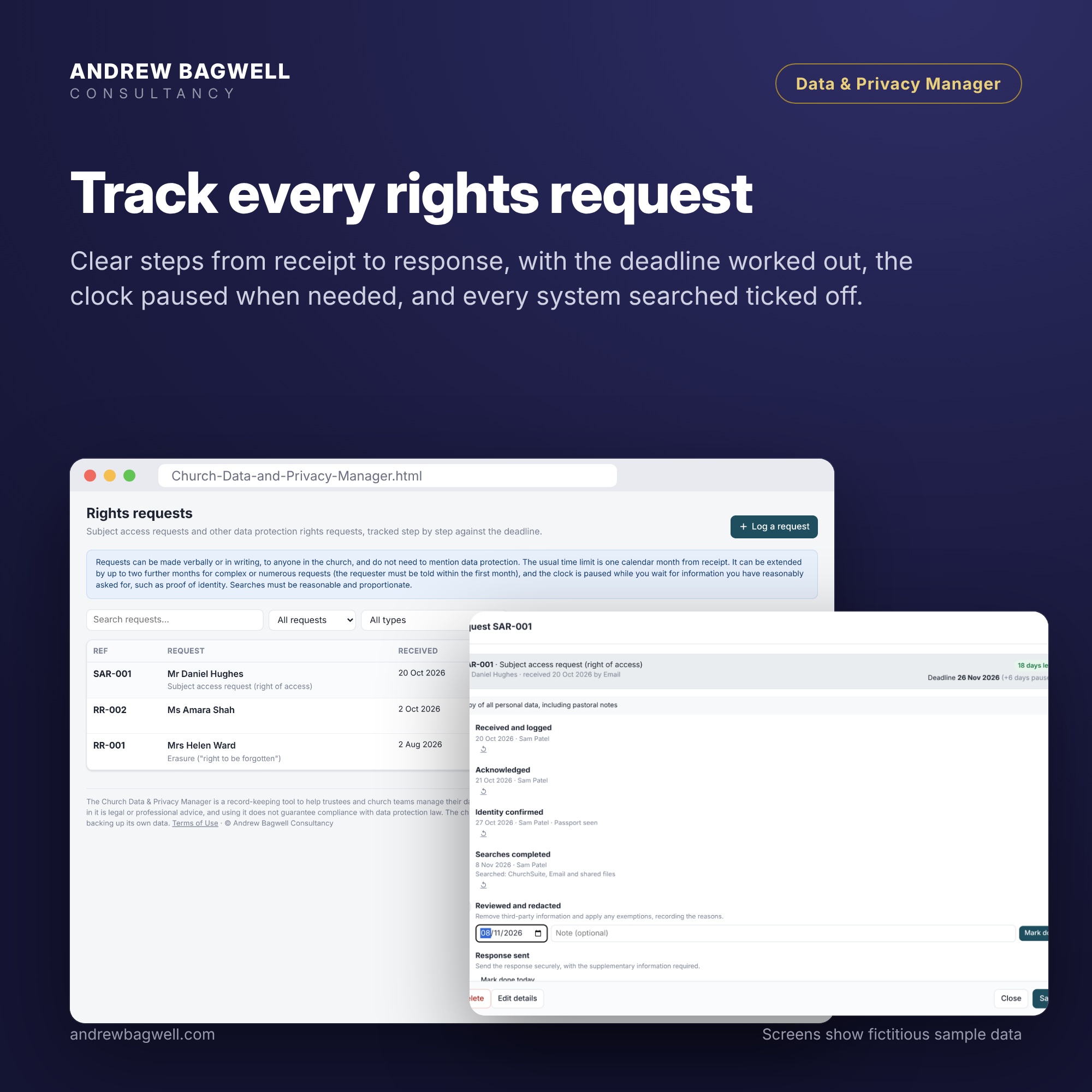 Image 4 of 5
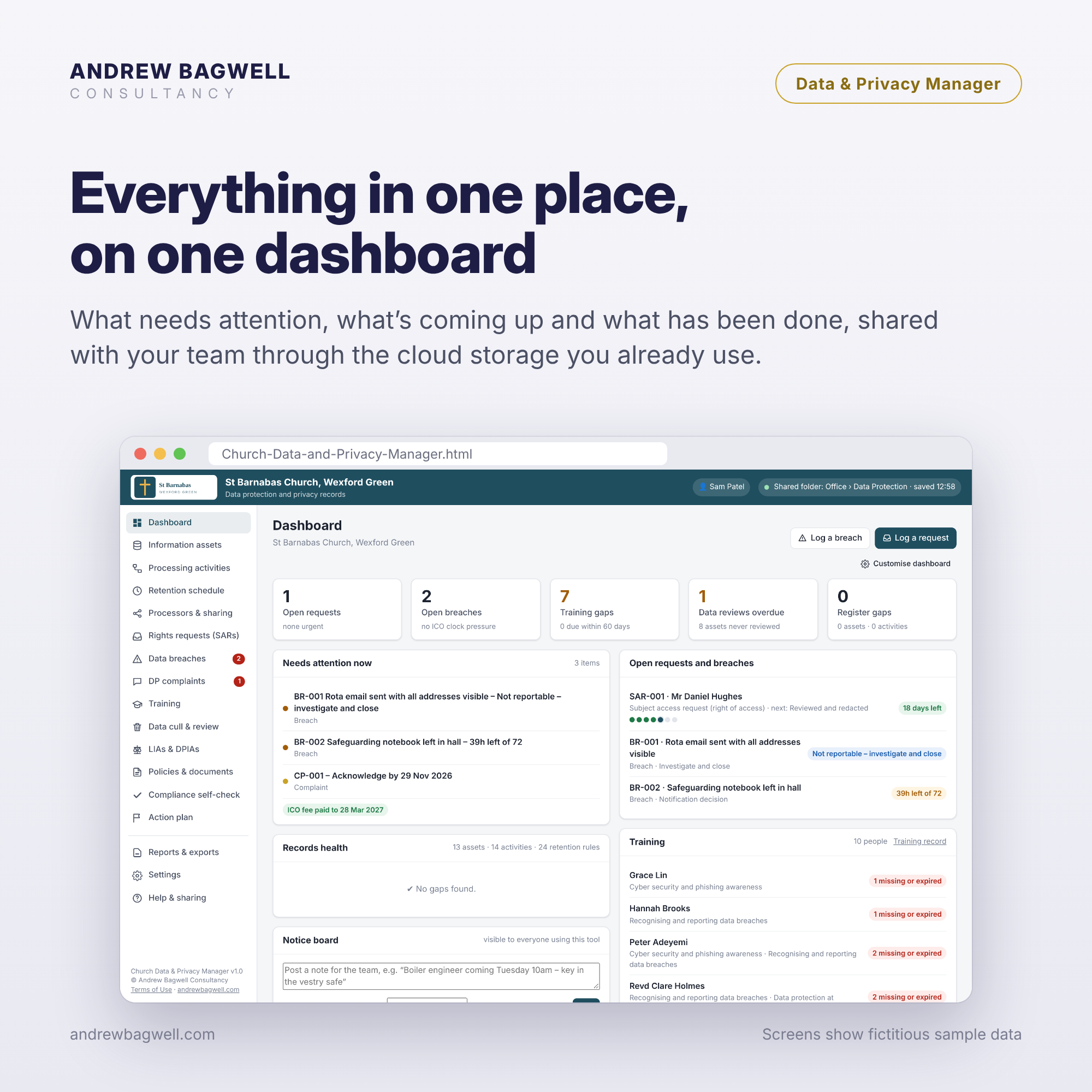 Image 5 of 5
Keep your church’s data protection records in one place: assets, processing, retention, requests, breaches and training. One-off purchase, no subscription.
Watch the product setup video here
Click here to see the product sheet.
Click here to view the terms and conditions for sale and use.
Launch Offer Pricing runs through till 31st December 2026.
In the course of my consultancy work with churches of all denominations, shapes and sizes, I have developed a number of simple tools to help them fulfil their governance and management responsibilities. These easy-to-use, browser-based tools are a one-off purchase with no subscription or ongoing costs. They work for one person or a whole team, using your church’s existing cloud storage.
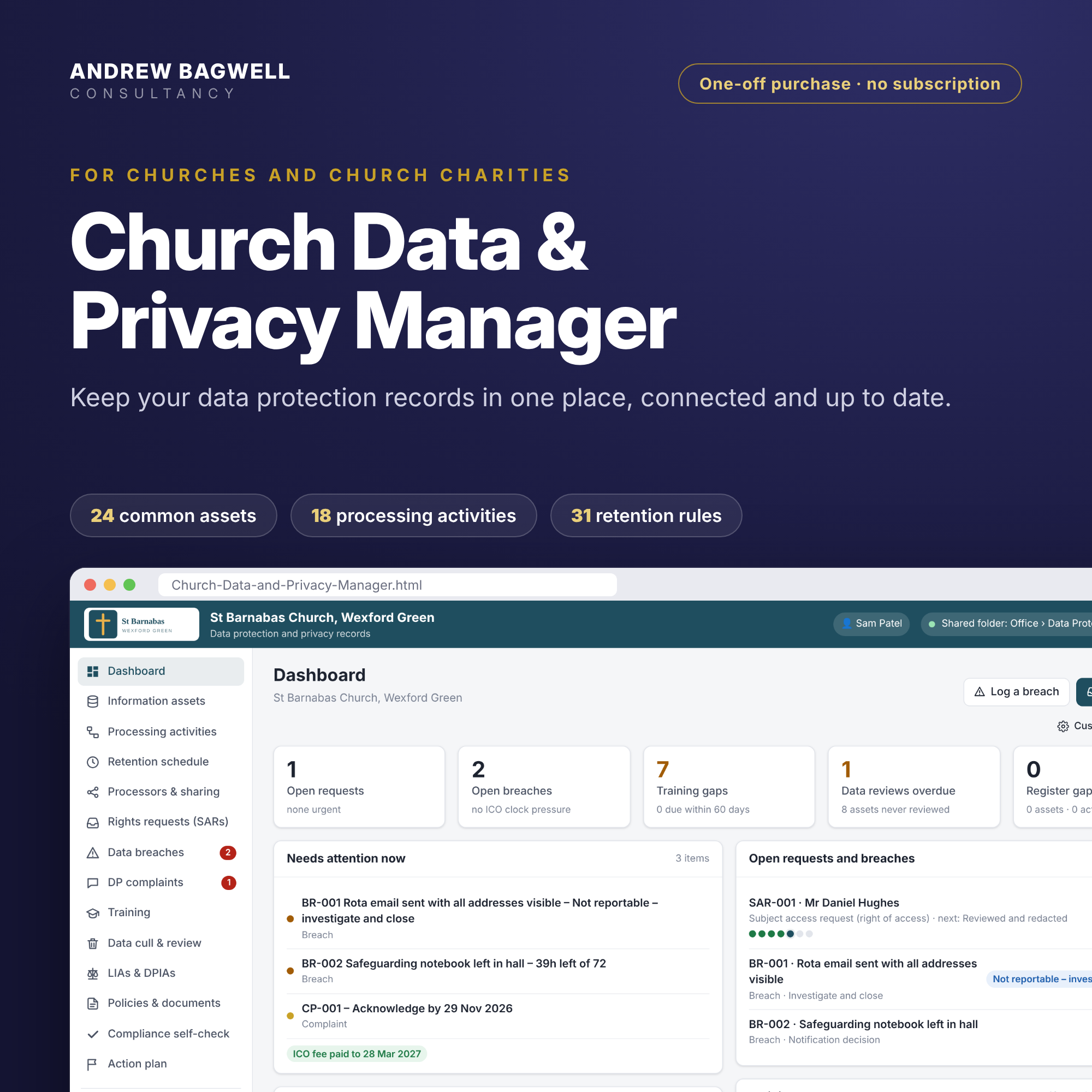
The Data & Privacy Manager helps churches organise the records that sit behind good data protection practice. A setup wizard asks which systems and records the church uses. It then builds a linked information asset register, a record of processing activities and a retention schedule from suggested church-specific starting points, which you review and adapt.
What it helps you do
Record what personal data the church holds, where it is kept, why, and for how long
Spot gaps, such as a missing lawful basis, owner or retention rule
Manage subject access and other rights requests, with deadlines worked out for you
Log data breaches, with a 72-hour clock and a record of the decision on reporting
Keep track of training, suppliers, data sharing and record reviews
Work through a compliance self-check (42 questions) and turn gaps into an action plan
Produce reports for trustees, plus a draft data protection framework in Word for the church to review
How it works
Each tool is a single file that opens in your web browser. There is no installation and there are no user accounts. Keep it in a folder synced through Microsoft 365 (SharePoint, Teams or OneDrive), Google Drive, Dropbox or iCloud Drive, and colleagues can open it and work from the same records. Shared use needs Google Chrome or Microsoft Edge on a Windows PC or Mac. For a single user, Safari and Firefox also work. Your data stays in your church’s own storage. Andrew Bagwell Consultancy has no access to it and holds no copy. The download includes the tool and a one-page quick start guide.
What it is not
These tools are practical aids to help trustees and church teams manage their responsibilities after seeking appropriate advice and exercising their own judgement. They do not constitute professional advice, and using them does not guarantee compliance with any law, regulation or denominational requirement. Suggested checks, risks, policies, retention periods and dates are starting points to review and adapt, not complete or authoritative lists. The tools are not a hosted service, so the church is responsible for its own data, access controls and backups.
Updates: Bug fixes and minor improvements to this version are provided free of charge, at our discretion, for 12 months from purchase. Major updates that add new functionality may be offered to existing customers at a discount. See our Terms of Use for details.
Keep your church’s data protection records in one place: assets, processing, retention, requests, breaches and training. One-off purchase, no subscription.
Watch the product setup video here
Click here to see the product sheet.
Click here to view the terms and conditions for sale and use.
Launch Offer Pricing runs through till 31st December 2026.
In the course of my consultancy work with churches of all denominations, shapes and sizes, I have developed a number of simple tools to help them fulfil their governance and management responsibilities. These easy-to-use, browser-based tools are a one-off purchase with no subscription or ongoing costs. They work for one person or a whole team, using your church’s existing cloud storage.
The Data & Privacy Manager helps churches organise the records that sit behind good data protection practice. A setup wizard asks which systems and records the church uses. It then builds a linked information asset register, a record of processing activities and a retention schedule from suggested church-specific starting points, which you review and adapt.
What it helps you do
Record what personal data the church holds, where it is kept, why, and for how long
Spot gaps, such as a missing lawful basis, owner or retention rule
Manage subject access and other rights requests, with deadlines worked out for you
Log data breaches, with a 72-hour clock and a record of the decision on reporting
Keep track of training, suppliers, data sharing and record reviews
Work through a compliance self-check (42 questions) and turn gaps into an action plan
Produce reports for trustees, plus a draft data protection framework in Word for the church to review
How it works
Each tool is a single file that opens in your web browser. There is no installation and there are no user accounts. Keep it in a folder synced through Microsoft 365 (SharePoint, Teams or OneDrive), Google Drive, Dropbox or iCloud Drive, and colleagues can open it and work from the same records. Shared use needs Google Chrome or Microsoft Edge on a Windows PC or Mac. For a single user, Safari and Firefox also work. Your data stays in your church’s own storage. Andrew Bagwell Consultancy has no access to it and holds no copy. The download includes the tool and a one-page quick start guide.
What it is not
These tools are practical aids to help trustees and church teams manage their responsibilities after seeking appropriate advice and exercising their own judgement. They do not constitute professional advice, and using them does not guarantee compliance with any law, regulation or denominational requirement. Suggested checks, risks, policies, retention periods and dates are starting points to review and adapt, not complete or authoritative lists. The tools are not a hosted service, so the church is responsible for its own data, access controls and backups.
Updates: Bug fixes and minor improvements to this version are provided free of charge, at our discretion, for 12 months from purchase. Major updates that add new functionality may be offered to existing customers at a discount. See our Terms of Use for details.